Select what you want to keep
Open a conversation or web page. Select its scrollable text area, then choose a preset and direction.
 ScrollExportGet a license
Local scrolling OCR · macOS / Windows
Select a conversation or web page and let it scroll. Turn what’s on your screen into text you can search, organize and use again.
Get ScrollExportOn-device OCR. Your content stays local.
Keep the context. Skip the repetitive work.
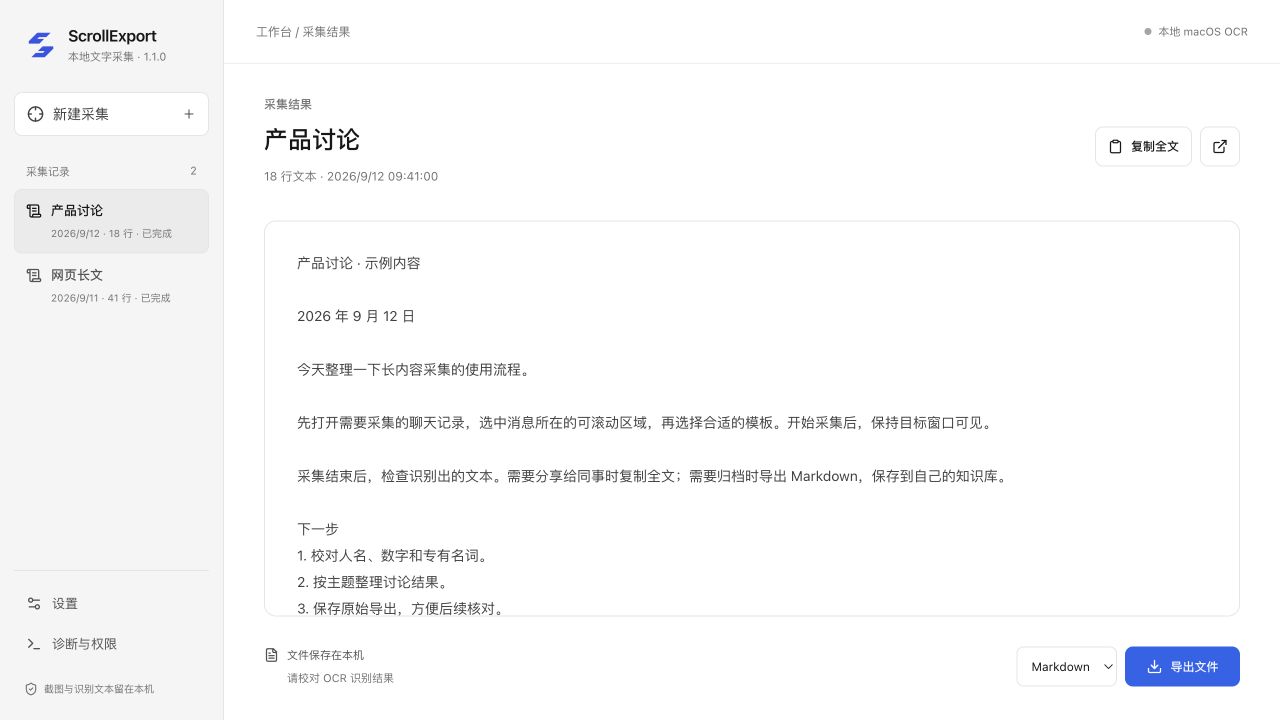
Actual app interface, showing sample content.TXT / Markdown / JSON
A simpler workflow
Let the tool handle repetition. Stay focused on the content.
Open a conversation or web page. Select its scrollable text area, then choose a preset and direction.
After a countdown, ScrollExport scrolls, captures, recognizes and deduplicates. Pause or finish whenever you need.
Check the text in the results view, copy it, or export TXT, Markdown and JSON files.
Keep what matters
Revisit decisions, requirements and follow-ups without piecing together screenshots.
Save visible text from long pages and lists in your own local files.
Bring Markdown into your notes app, or choose your own tools for further processing.
Your content, on your computer
System-native OCR, with no screenshot or recognized-text uploads and no chat database access. You keep the results and decide where they go next.
License purchase, activation and verification require internet access.Make it yours
Get a License Key and activate it in the app. Check system requirements and release availability before purchasing.
¥29One-time purchase
Scrolling OCR · Deduplication · Three export formats
View purchase detailsSee the purchase page for pricing and license terms.FAQ
Visible, scrollable conversations, long web pages and text lists. Presets cover WeChat, Feishu, Telegram and long articles. Results depend on the source layout and loading behavior.
No. Capture and OCR run locally and text stays on your computer. License purchase, activation and verification require a network connection, separately from content capture.
Supports macOS 12 or later and Windows 10 1809+ / Windows 11. macOS requires Screen Recording and Accessibility permissions. Windows requires WebView2 and the appropriate OCR language packs.
The current product exports visible text using OCR. It is not a full media backup tool and does not read chat databases.
Yes. Font size, image quality, layout and recognition language affect OCR. Double-check important names, numbers and technical terms.
Contact the seller to arrange payment and receive your License Key. ¥29 buys permanent use of 1.x, including 1.x updates, for one user on two computers. Future major upgrades are optional.